Section 5.1 The Instructor Dashboard
The Runestone Instructor Dashboard, updated in 2025, provides a variety of tools for instructors to monitor student progress, create assignments, create new exercises, and analyze performa.
One of the primary goals of the Runestone Instructor Dashboard is to help you understand where your students are at, and to help you to prepare and make the best use of classtime. We set out to create an interface where you could see at a glance which concepts your students clearly “got” and which concepts they were struggling with so that you can spend your valuable class time on the topics that were confusing rather than boring them by covering material they clearly understand. To really be effective with this strategy you should use reading assignments as described in Section 6.1.
As an instructor, you can access a variety of instructor features. To get to the Instructor Dashboard follow these steps:
-
Make sure you are logged in to a course for which you are an instructor. If necessary, click on the person icon at top right and select Change Course to get to a course that you are instructor for, or logout and login with a different account.
-
Click on the person icon on the top right of the window and select Instructor Dashboard
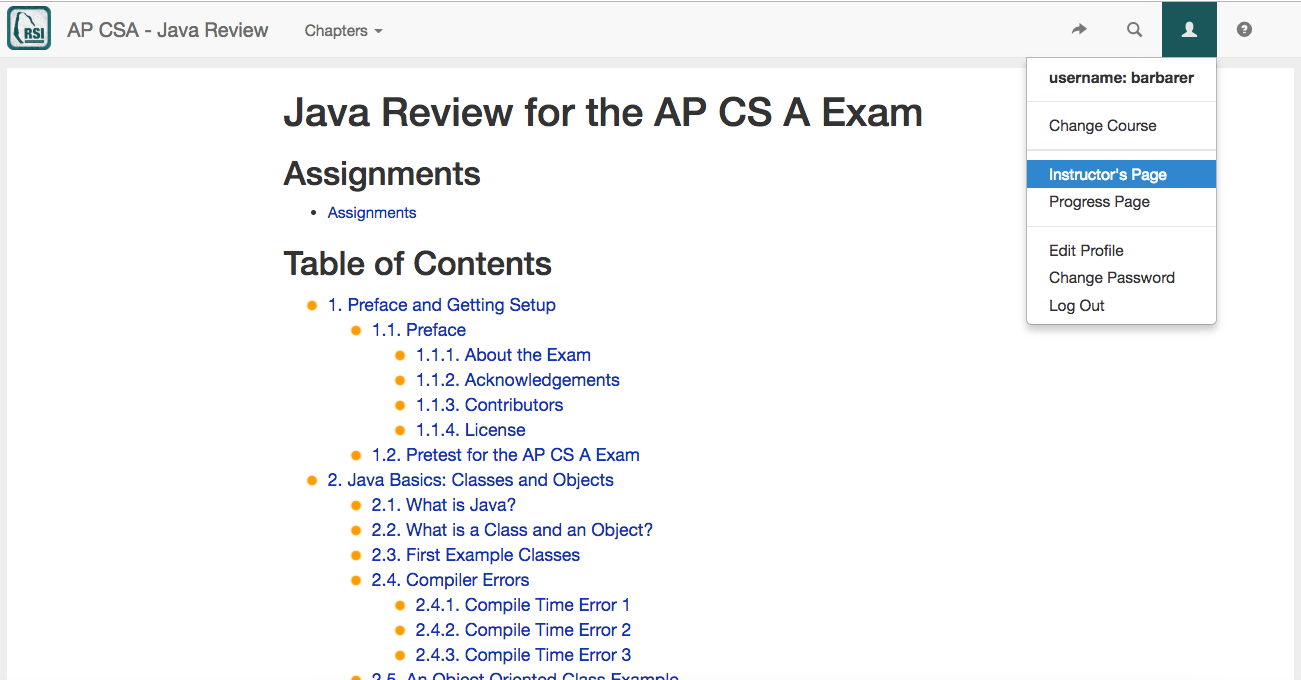
Figure 5.1.1. Figure 1: How to get to the instructor’s page You will see the Instructor Dashboard as shown below.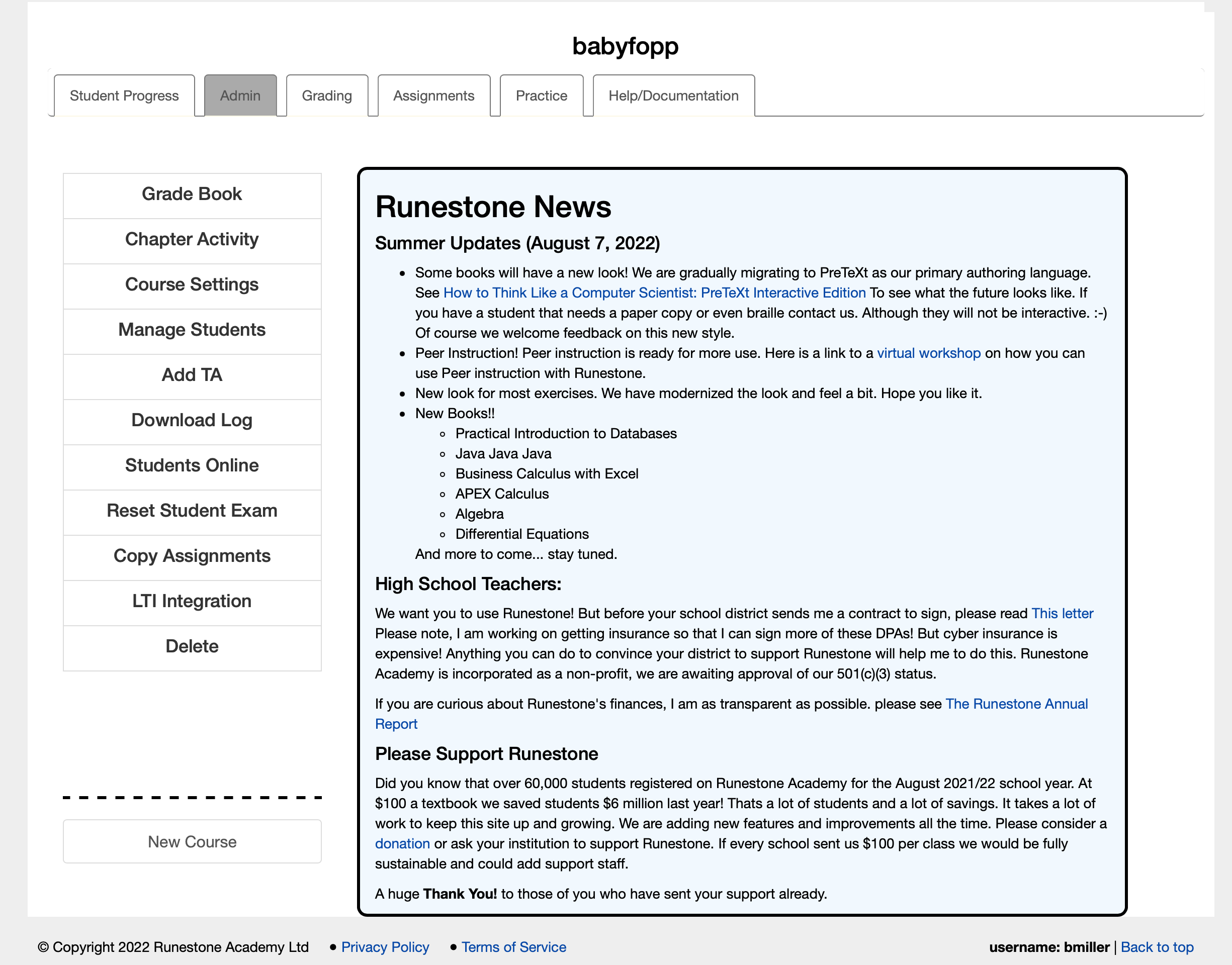
Figure 5.1.2. Figure 2: The Instructor’s Page

